 yTools
iPhone & iPad · Free
Write the day.
Star the keepers.
A low-friction diary for every entry — then only the ones you flag “show on timeline” become the vertical and Gantt highlight reel.
Get on the App Store — Free01
A diary first.
Not a form.
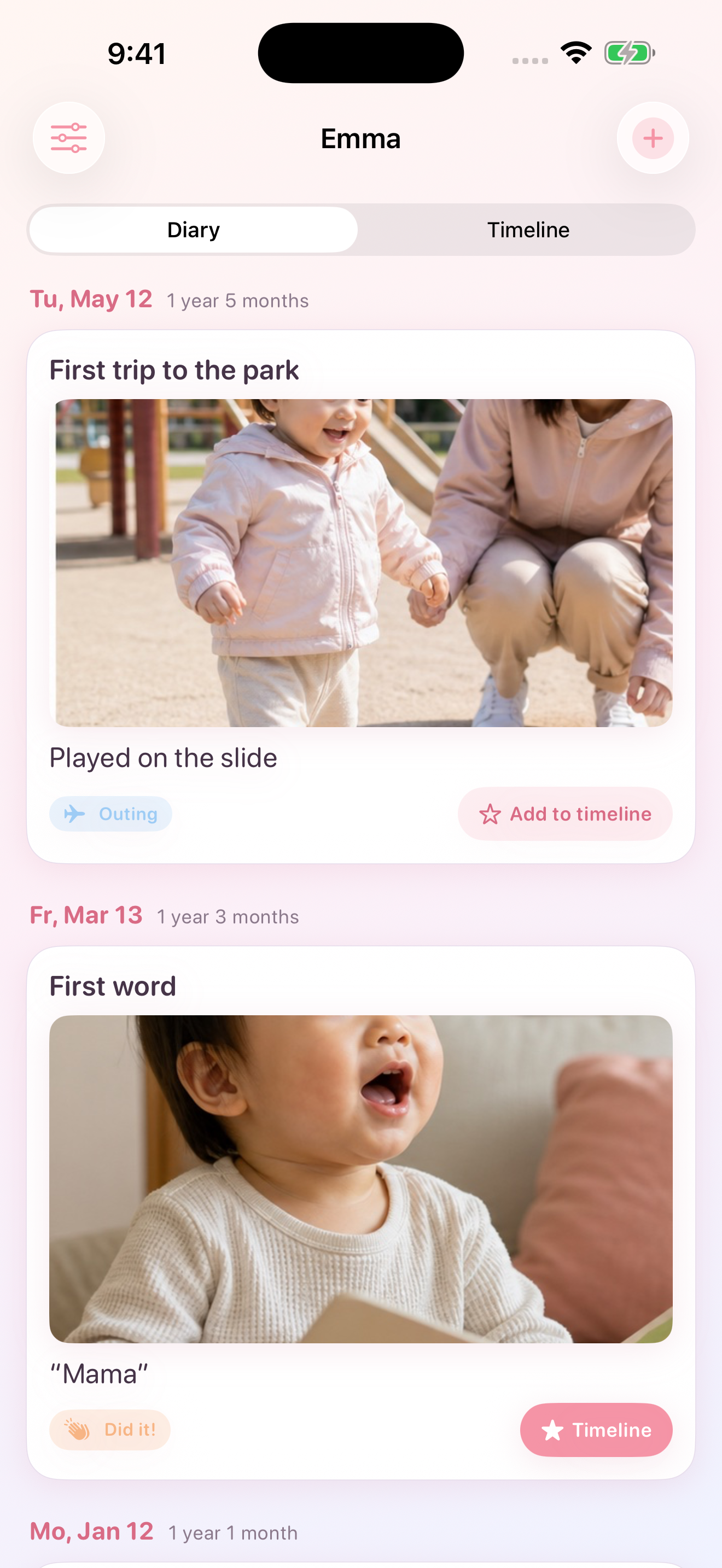
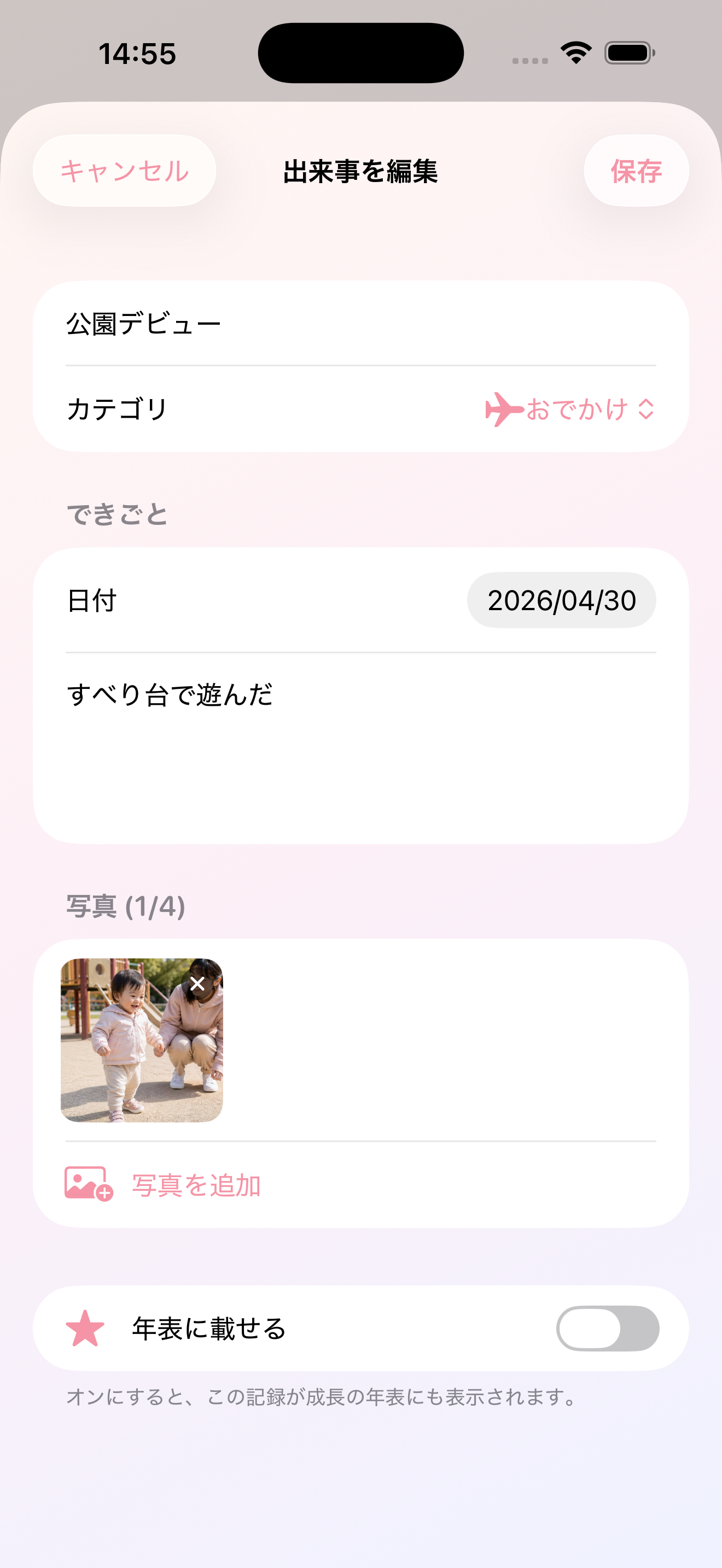
The note is the main field. Titles are optional. New entries stay off the timeline until you star them — writing never auto-promotes.
- Every day, every entryThe feed shows all of a child’s entries, newest first.
- Star in placeA ★ toggle on the card sets “show on timeline” without opening the editor.
- Age on the cardDate, age, category, photos, and the note sit on one card.
02
Two ways to see
the highlight reel
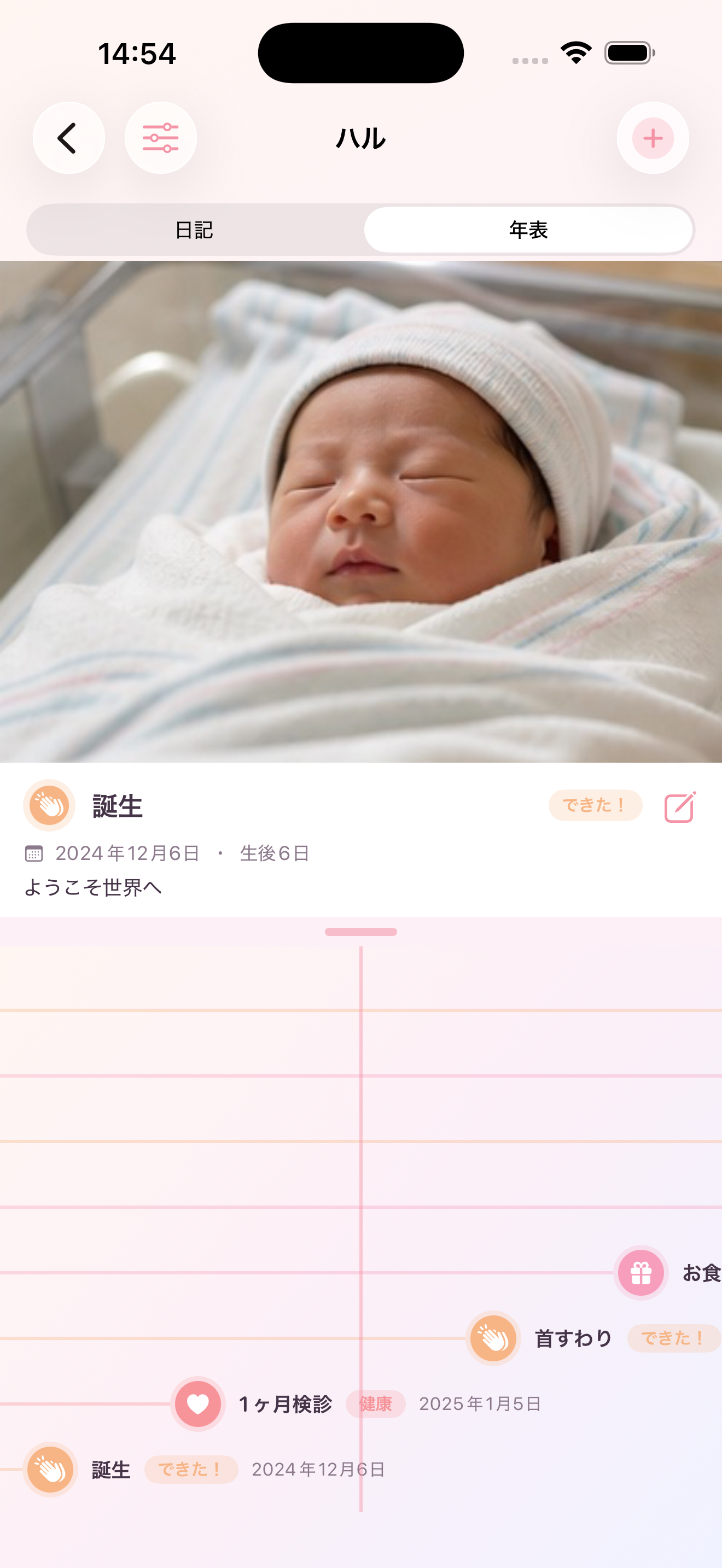
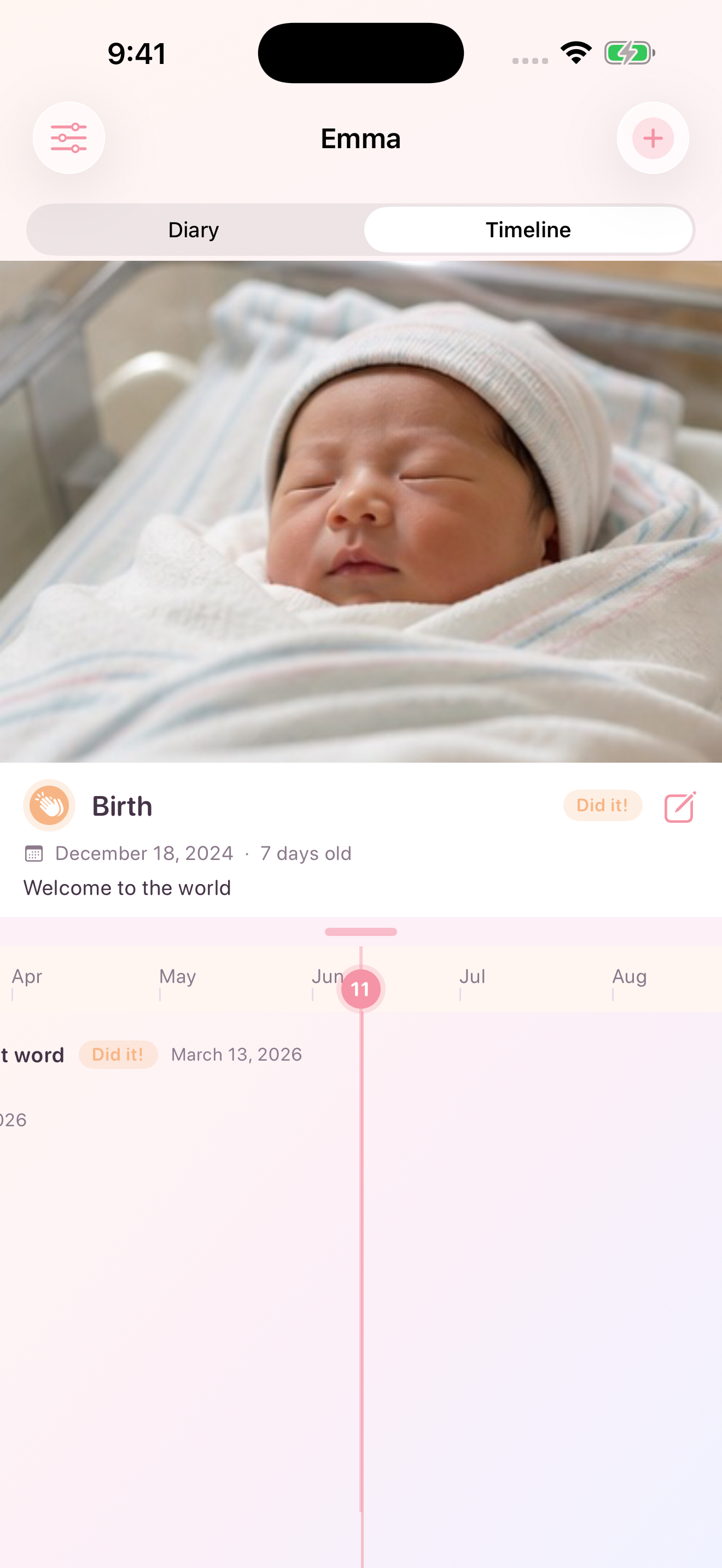
Gantt is a pinch-to-zoom time axis with a focused event in the middle. Vertical is the classic rail, dot, and card. Both show only starred entries.
- GanttHorizontal axis, today marker, and a photo pane that follows the event nearest the center.
- VerticalA classic growth timeline for the same starred set.
- Title-less still labelsIf the title is empty, the first line of the note becomes the timeline label.
03
Checkups and shots
already named
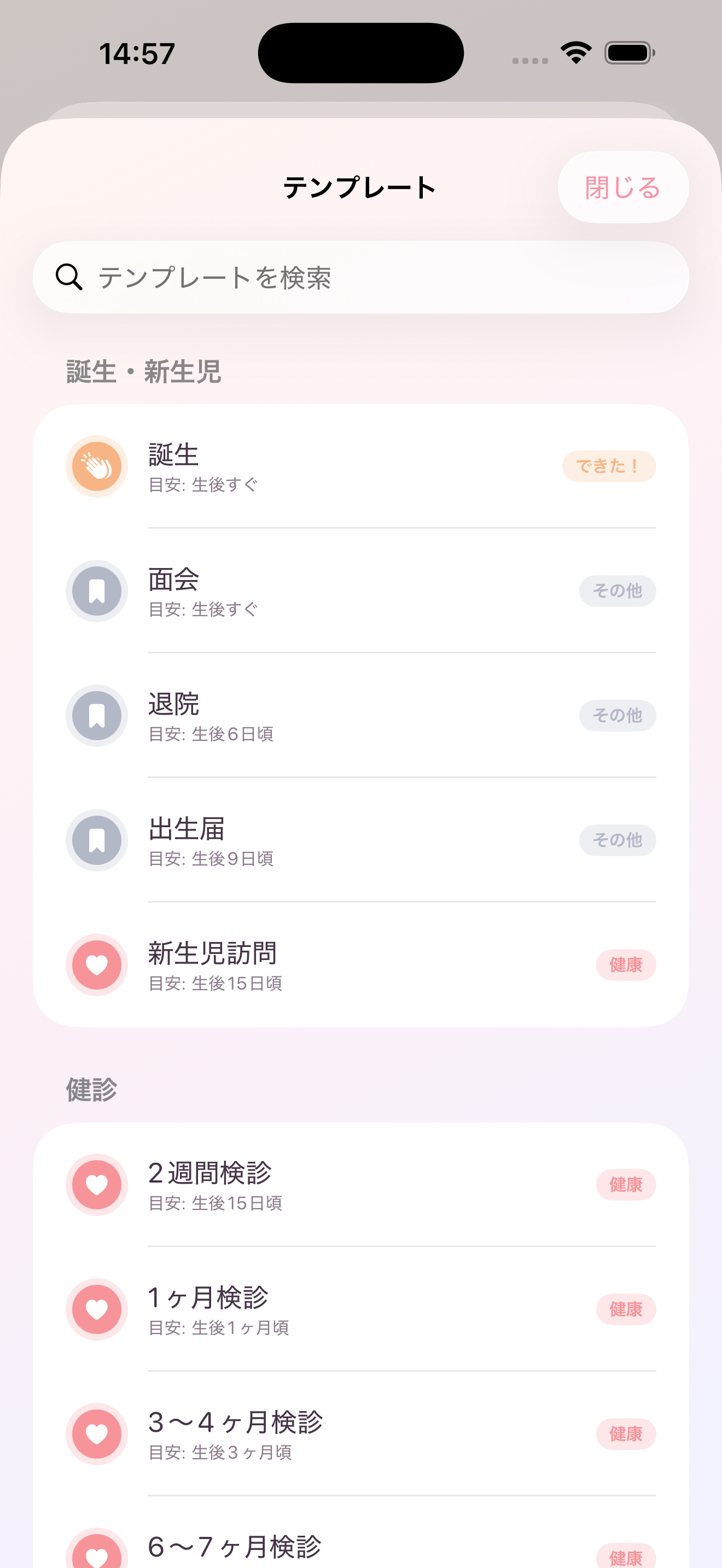
Templates cover checkups, vaccinations, school events, firsts, and birthdays. Applying one fills a suggested date from the child’s birth date — it does not force the timeline flag.
- Suggested dateTypical age in months becomes a date on the calendar.
- Photos and videoFree: 4 photos. After removing ads: 10 photos or videos per entry.
- Optional titleSave a title-less diary line. The timeline still has a label.
04
More than one child.
The same house.
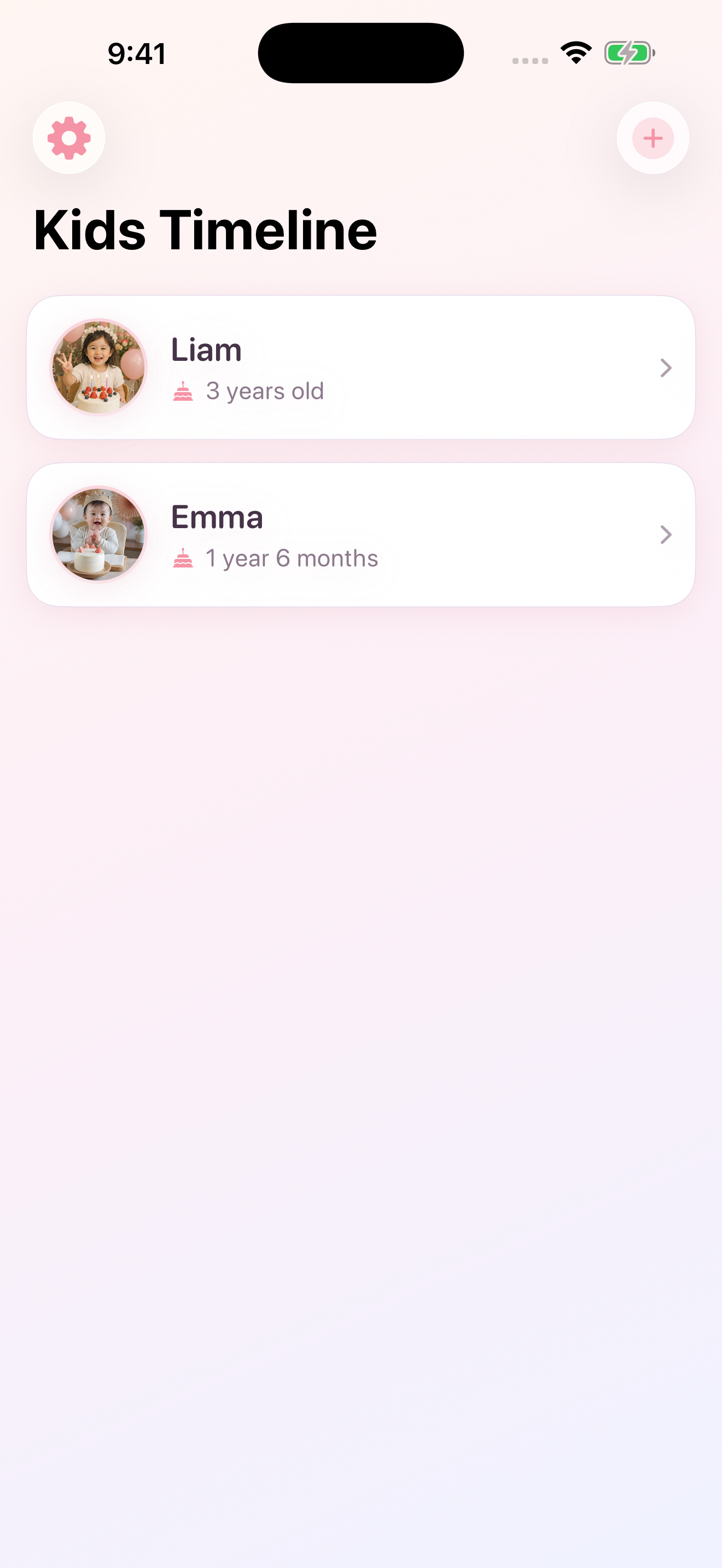
Each child has a name, birth date, and optional avatar. Family sharing and iCloud sync sit behind the same ¥400 “remove ads” purchase — invitees can accept a share without buying.
- Local firstEverything lives on the device. CloudKit is optional and uses your Apple ID.
- Family shareShare the household graph — children, entries, photos — from Settings after purchase.
- iPad tooThe same diary and timeline on the larger canvas.

Start with today.
Star later.
Free to keep a diary. Remove ads when you want iCloud, family sharing, and more photos.
- 1 Add a child Name and birth date. That is enough to start.
- 2 Write a day A note, a photo, a template if you want a checkup or shot.
- 3 Star the keepers Only starred entries appear on the Gantt and vertical timeline.
Optional in-app purchase “Remove ads” is ¥400 (non-consumable). It also unlocks iCloud sync, family sharing invitations, and 10 photos or videos per entry (free tier: 4 photos, no video).